
Paperwork
Reports typed up at night
From memory, with photos scattered across a personal phone, long after the visit ended.
PILLAR II
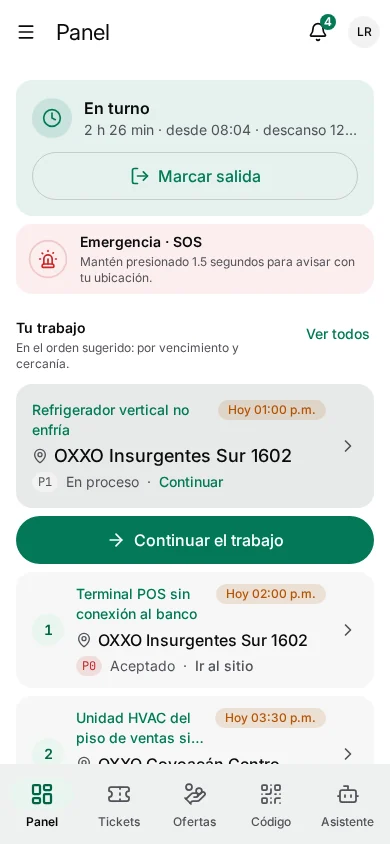
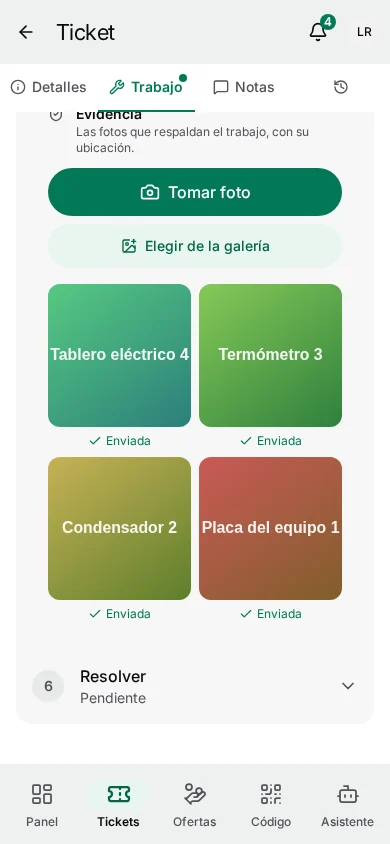
The field app holds the day's work, each site's history, checklists and guides. Photos and signatures are captured during the job, and everything syncs when the phone finds signal again.
The problem
Basements, plant rooms, rural sites and highways are exactly where the work happens.
Paperwork
From memory, with photos scattered across a personal phone, long after the visit ended.
Signal
An app that needs a connection to open a ticket forces a choice: walk outside or write on paper.
Preparation
Without the last visit's notes or the right checklist, the first visit turns into a second one.
How it works
Each step is recorded on the phone first, with its real time and place, and sent when there is signal.
Tickets, sites, task lists, safety checklists, the van's inventory and published guides sync before the technician leaves. Only what they are entitled to see ever reaches the device.
first sync: snapshot · then: changes only
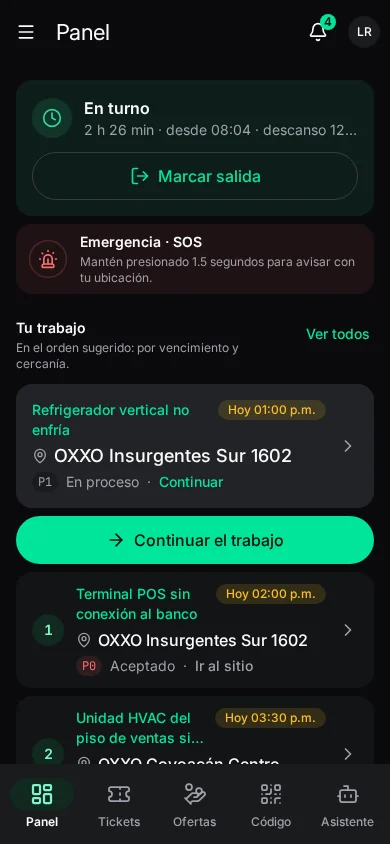
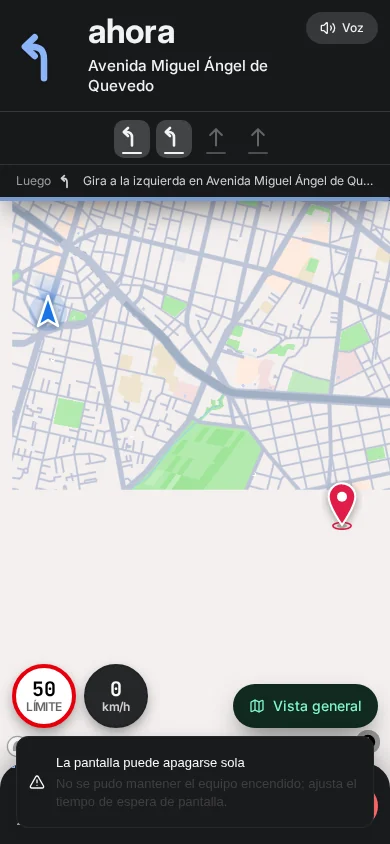
Turn-by-turn directions to the site. When the phone is within 50 m of the site and moving slower than walking-in speed, the arrival is logged on its own.
arrival: ≤ 50 m and < 15 km/h
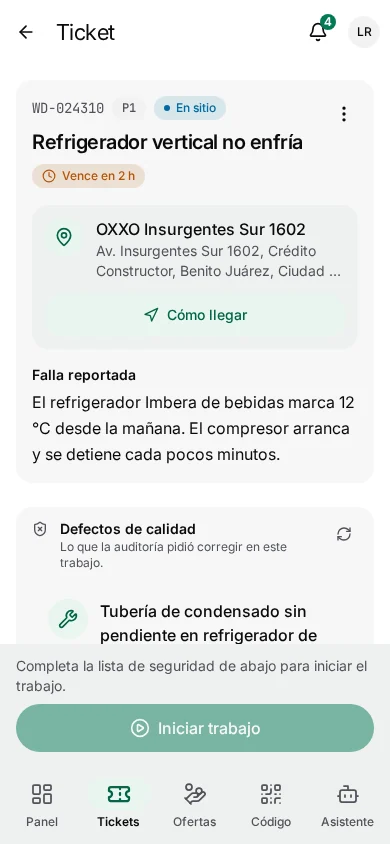
Start work stays locked until every mandatory safety checklist is answered and signed. An unsafe answer stops the job. The SOS button is always one long press away.
arrived → in progress only when compliant
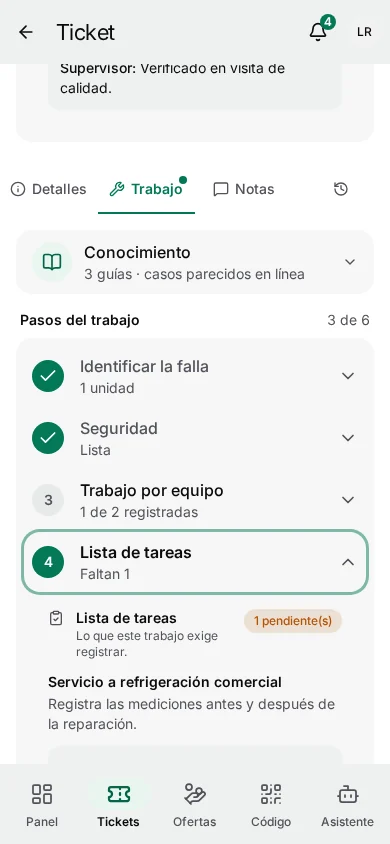
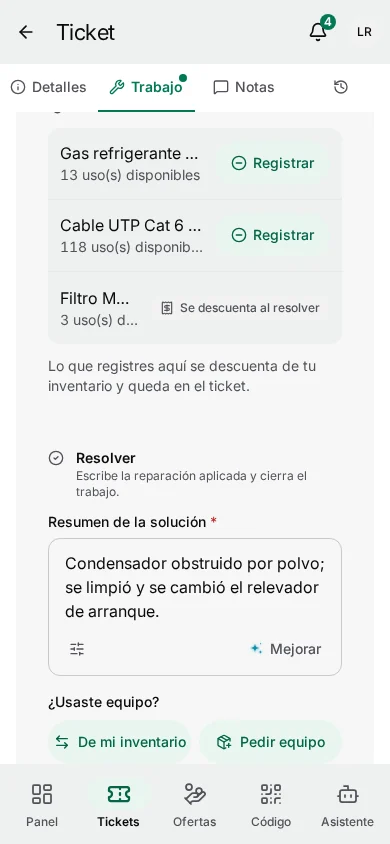
The task list walks the job step by step. The field assistant suggests fixes from similar resolved tickets and the knowledge base, reads a photo of the fault, and drafts the report.
knowledge scoped to the ticket's client
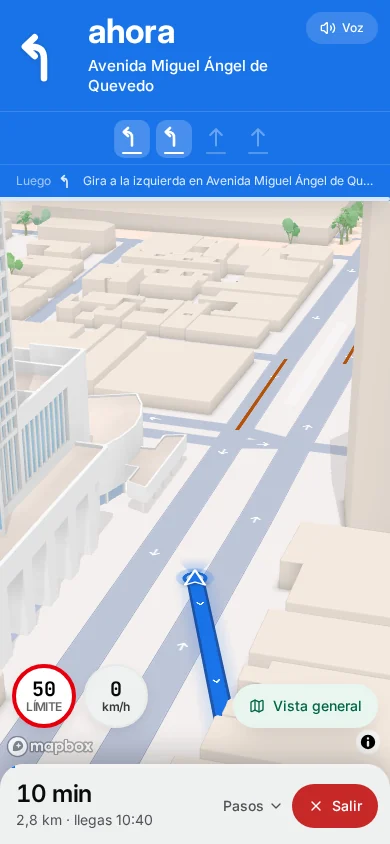
Photos and video are taken with the camera against each evidence requirement, stamped with GPS and time, encrypted on the phone and uploaded in the background, resuming on poor connections.
time of capture, never time of upload
The job can't close with required evidence missing. Everything done offline is sent in order and applied exactly once; if the office changed something meanwhile, the server decides, nothing is blindly overwritten.
ordered outbox · applied exactly once
Tickets, sites, task lists, safety checklists, the van's inventory and published guides sync before the technician leaves. Only what they are entitled to see ever reaches the device.
first sync: snapshot · then: changes only
In numbers
Reports, photos, signatures and hours are captured on the phone while the job is under way, so nothing is left for the evening.
Minutes of paperwork per visit
The report and the timesheet account for most of the time saved.
| Paper and chat | Field app | |
|---|---|---|
| Service report | 9 min | 1.5 min |
| Photos | 4 min | 0.5 min |
| Signature | 2 min | 0.5 min |
| Timesheet | 3 min | 0 min |
Rules that always hold
Offline
Every action is written to the phone first and queued in an outbox that survives restarts and dead batteries.
Time
A visit closed at 11:40 in a basement says 11:40, even if it reached the server at 12:30.
Privacy
Location is recorded between clock-in and clock-out, with a visible notification. Off shift, nothing.
Hardware
One hand free, a cheap phone and a battery that has to last the day. No special devices.
Scope
One client's guides never appear at another client's site, and revoked access purges the device.
Evidence
Each photo carries its position and accuracy. Pictures picked from the gallery aren't accepted as evidence.
Configuration
Who uses it
Field technician
Finishes the shift with no paperwork left and trusts that hours, mileage and evidence are right.
Contractor technician
Uses the same app with a restricted view: their tickets, what each requires, and evidence that triggers payment.
Operations manager
Sees arrivals, progress and evidence live instead of calling for updates.
A 30-minute briefing with your dispatch, payroll and asset flows on screen.
Keep exploring
Intelligence
What each model answers, where it appears, and what it will never do on its own.
The visibility gap
What running on WhatsApp and spreadsheets really costs, and what changes with one record.
Security
Access by role and territory, sign-in, encryption, the audit log and devices in the field.
Changelog
New capabilities and improvements across the console, field app and platform.